With Simplefly, I designed (UX, Architecture, etc) a project management tool for Goliath games, a producer of board games, since their specific wishes did not fit into an existing tool. So it was very important to fully understand and think out their processes.
The challenge
During the various discussions, the client’s requirements were changed a few times, because with each elaboration new requirements and specifications emerged that had not yet been fully thought out. An example of this is that when we created the phasing, we took the start and end date of the relevant and subsequent phase as the starting point. Ultimately, it turned out that when creating standard phases with associated milestones, no data was needed at all. Only the duration of milestones and the connections between them determined the duration of the phasing. A full standard flow could be calculated based on a project (end) date.
The main premise of the tool is that based on standard lists pre-created by admin, the project manager only needs to fill in a few fields at the start of a project, and then his entire planning is rolled out. This saves Goliath’s project managers a lot of time.
Processes & roles:
In the design I included the following project processes and roles:
- Create standard milestones per phase, where each milestone has a duration and dependencies between milestones can be indicated (admin role).
- Create standard phasing per project type. The standard project duration is calculated based on the phases and the associated milestones (admin role).
- Create all standard lists, such as departments, employees, milestones and deadline types (admin role)
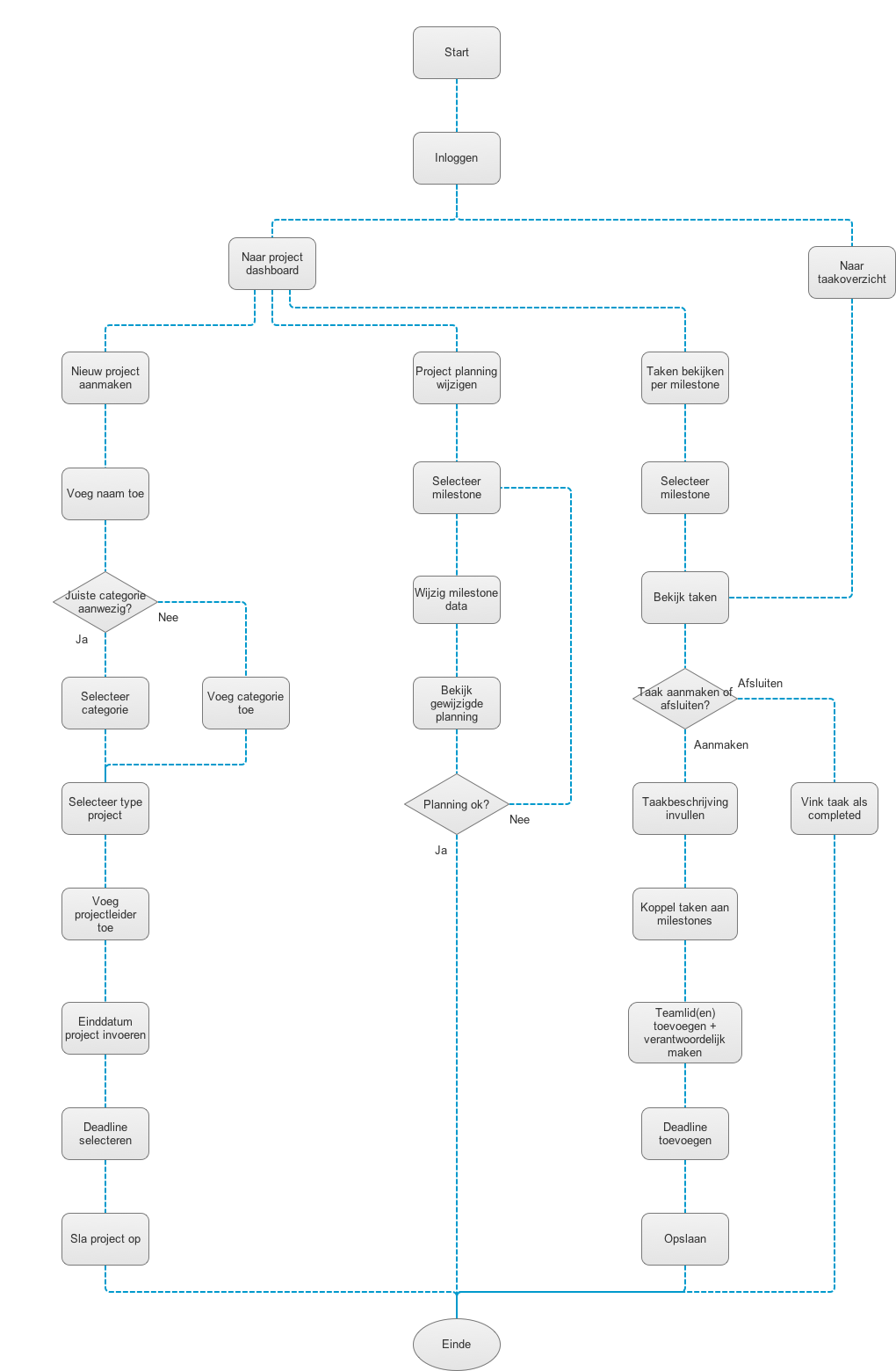
- Create a new project. Based on project type, a standard phasing with standard milestones is rolled out. Based on the end date of the project, the planning is calculated from back to front and visualized (project manager).
- View the project planning (per department) and the associated milestones (project manager).
- Change the dates of the milestones. Based on the dependencies between the milestones, the planning and duration are recalculated and the subsequent milestones are automatically shifted (project manager).
- Assign tasks to a person and viewing tasks per milestone (project manager).
Viewing the task overview, grouped by urgency and by project and adding personal tasks (team member).
Output:
- Flowchart workflow admin role
- Flowchart workflow PM role
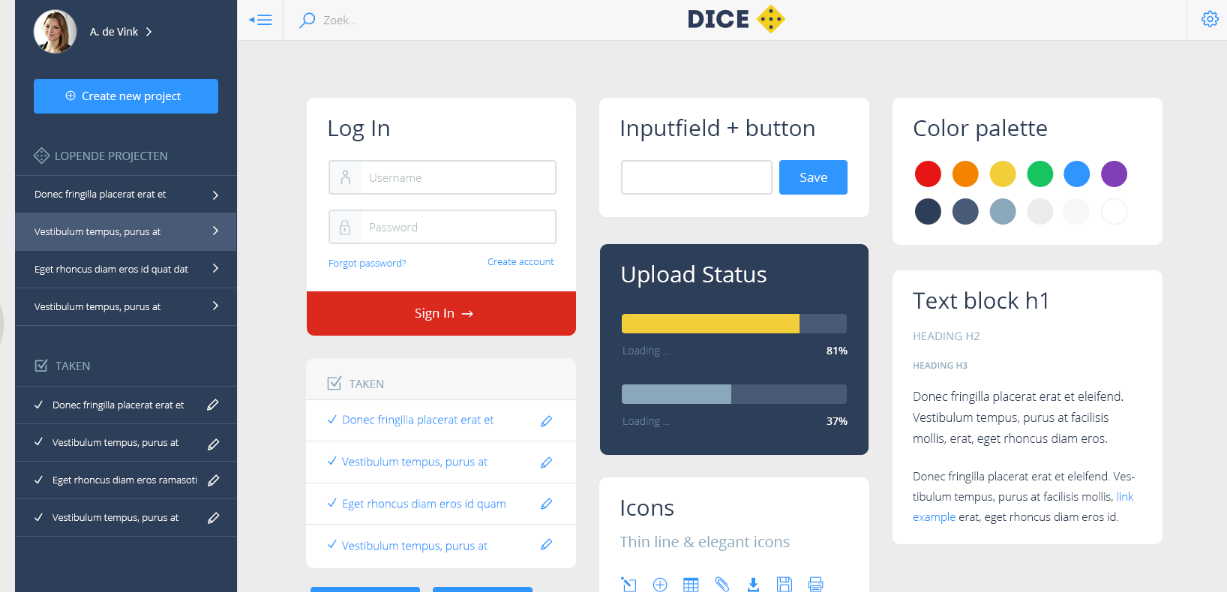
- Interaction design project management tool Dice
In the gallery you can see the dashboard design, user flows and design system / UI guide


 Renske Jongbloed